14 August 2026
The paste is the review step
dx-grid-inspector reads real DOM tokens and hands you a prompt for your own agent. No embedded model, on purpose: the clipboard hop is where a wrong value gets caught.
Views —
Loading…
14 August 2026
dx-grid-inspector reads real DOM tokens and hands you a prompt for your own agent. No embedded model, on purpose: the clipboard hop is where a wrong value gets caught.
Loading…
Every dev tool is growing a chat panel. Mine hasn't got one, and it isn't because I ran out of time.
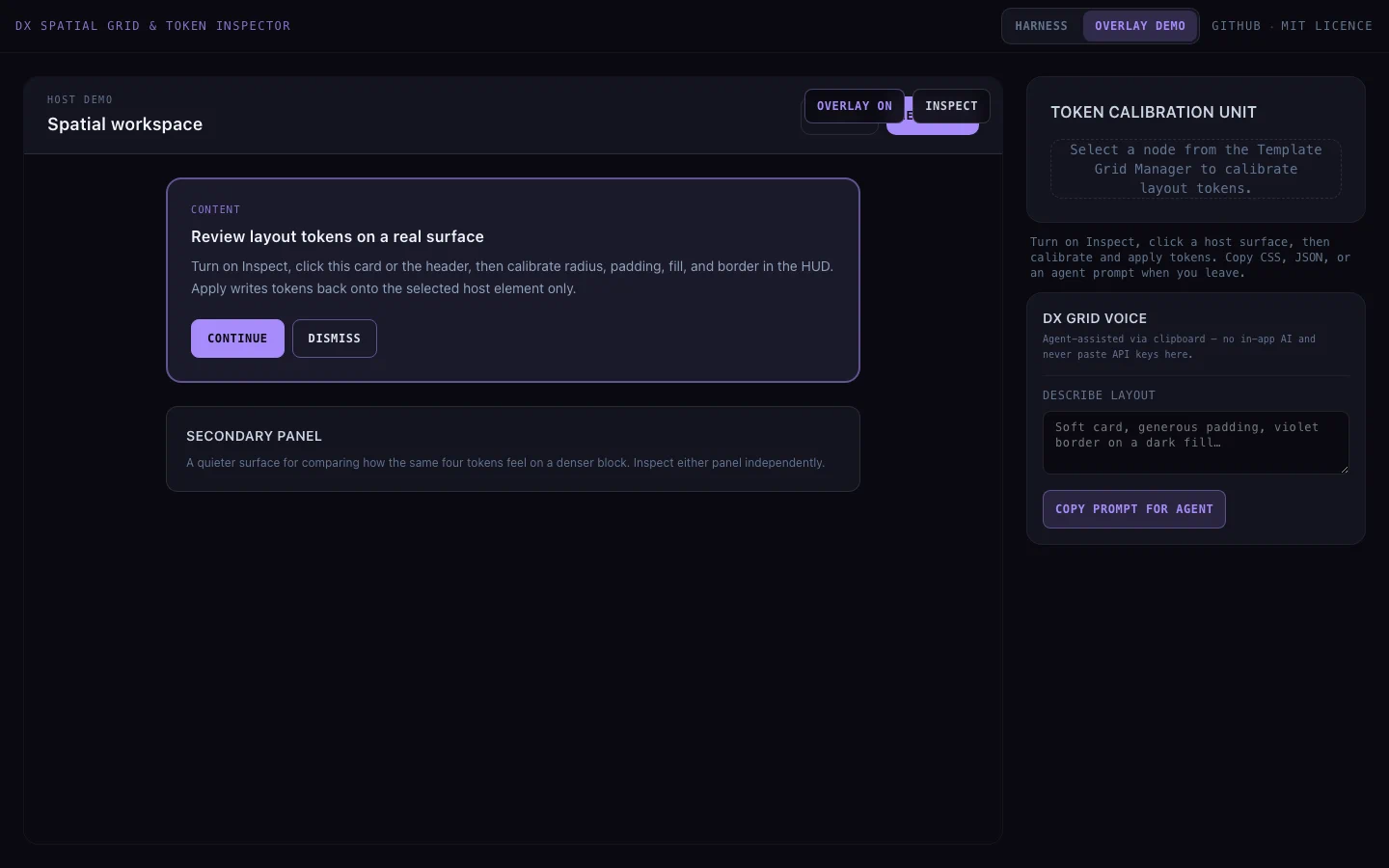
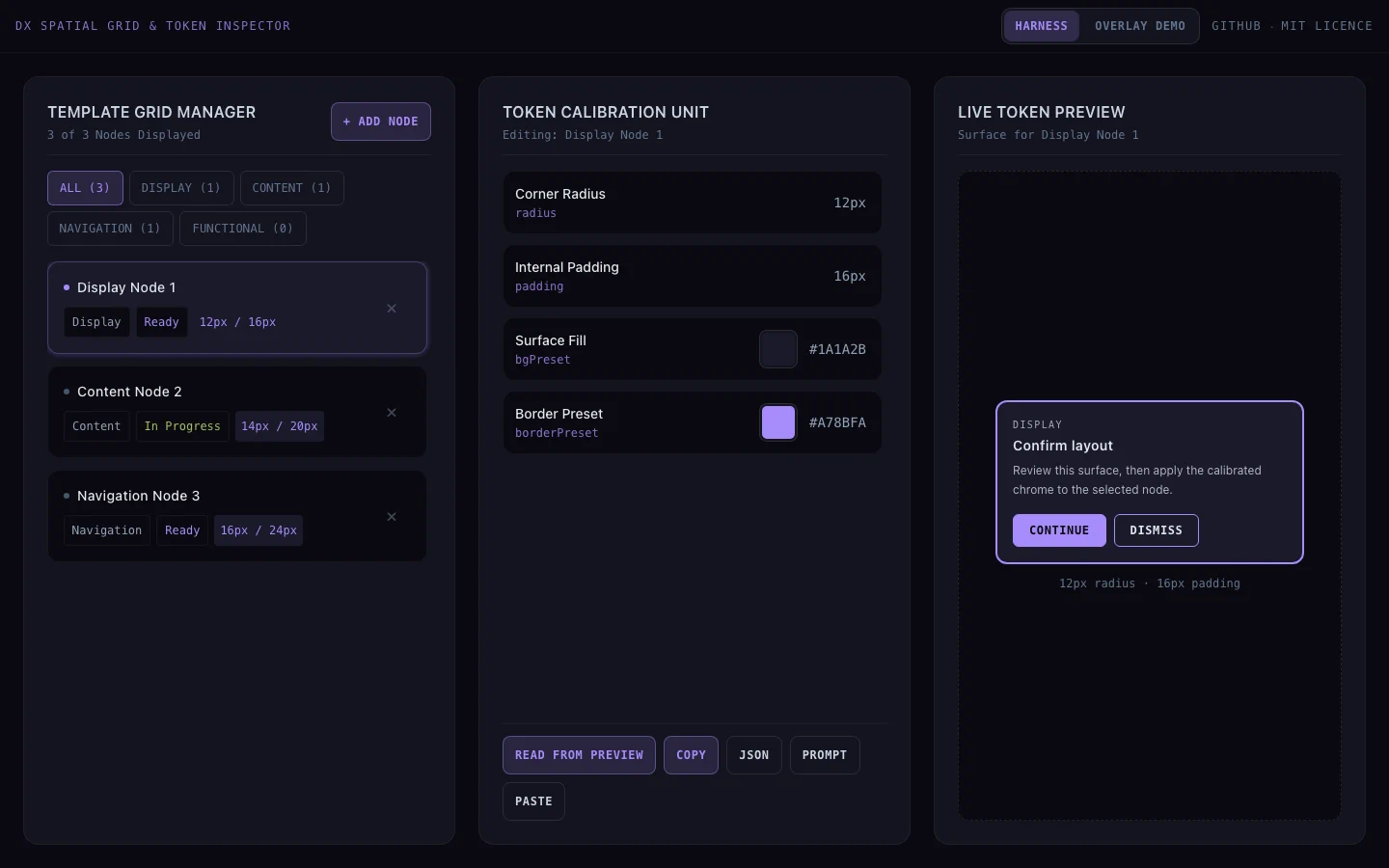
dx-grid-inspector is a small React 19 harness for inspecting layout nodes and calibrating spatial tokens: radius, padding, surface fill, border. It reads the computed styles off a real element, lets you push changes back to the DOM and watch them live, and when you want an agent's opinion it formats a prompt and drops it on your clipboard. Then it stops.
Stopping there is the design. It's also the part people assume I haven't finished.
Two things, and neither one's friction.
You read the prompt before it goes anywhere, so nothing leaves the tab without you having seen it. Then you read the answer before it touches your DOM, so a hallucinated radius dies in your clipboard instead of in your CSS.
That second one's doing more than it sounds like, because nothing in this loop fails loudly. A wrong radius doesn't throw. It renders, it looks very slightly off, and it ships. The only thing that catches a plausible wrong value is a person looking at it, and the paste is the part where a person looks. I've hit the same failure family in my own token files, where eight documents went on describing a colour that had stopped being true and nothing ever went red.
formatTokensAsAgentPrompt in tokenExport.ts compiles your current tokens plus whatever you've typed into a fixed request:
Return ONLY a JSON object matching this DesignProperties shape (no markdown fences):
{
  "radius": number | string,
  "padding": number | string,
  "bgPreset": string,
  "borderPreset": string
}
So your agent gets a typed shape to fill in, rather than a conversation to have. You paste that into whatever you already run, Cursor, a terminal agent, Claude, whichever one won this week. It comes back with JSON. You paste the JSON into the HUD, and that's the moment you read it.
Six steps, written out: read, describe, clipboard out, agent, clipboard in, apply. You can stop at any one of them and you've lost nothing. I call it the DX Spatial Grid pattern internally, mostly so I stop typing "the clipboard thing" into commit messages.
Fair hit, and it's partly true, so I'd rather say it than have you think it. An embedded model means I own a key, a rate limit and a vendor. It's a tool that breaks the day that vendor changes a response shape, and it's a side-project HUD you'd be trusting with whatever you paste into it. For something this size, that's a real cost and I didn't fancy it.
That explains why the decision was easy. It doesn't explain why it holds.
What makes it hold is that you already have an agent you trust with the actual repo, with real context loaded. Routing a token question through a second, weaker chat window bolted onto a demo tool is a downgrade dressed up as a convenience. I don't get a vote on which agent you use, and I shouldn't have one.
I'm not against embedded AI on principle. It just has to earn the trust boundary first, and I can say what that would take.
The loop would have to run often enough that the paste is genuinely the bottleneck, which means live suggestions as you type, not a once-per-component token pull. And the surface would have to already be your primary workspace, the way Cursor is mine. A standalone inspection harness isn't either of those yet. Bolting a panel onto it would make it more opaque without making it more trustworthy.
Not the pitch version.
Built: overlay mode for wrapping real UI, harness mode for calibrating against mock nodes before you touch a live page, the token exporter, the prompt compiler, and clipboard in both directions. It's public and MIT, with a live demo.
Not yet, in August: an npm package. You copied three files into your src/ and kept the filenames so the imports resolved. It also demos better than it screenshots, because the whole loop runs in about thirty seconds when you watch it happen.
Update, 2 October 2026: it's on npm now, as dx-grid-inspector. Setup is npm install -D dx-grid-inspector plus a few lines to load it in development only, and INTEGRATION.md walks through it.
Before you strip a paste out of your own tool, work out what that paste was doing. Sometimes it really is just friction and you should delete it without a second thought. Sometimes it's the only place a human reads the output, and taking it out doesn't make the tool faster. It makes the wrong answer harder to see.